ATS Resume Formatting: The 2026 Guide That Actually Gets You Through
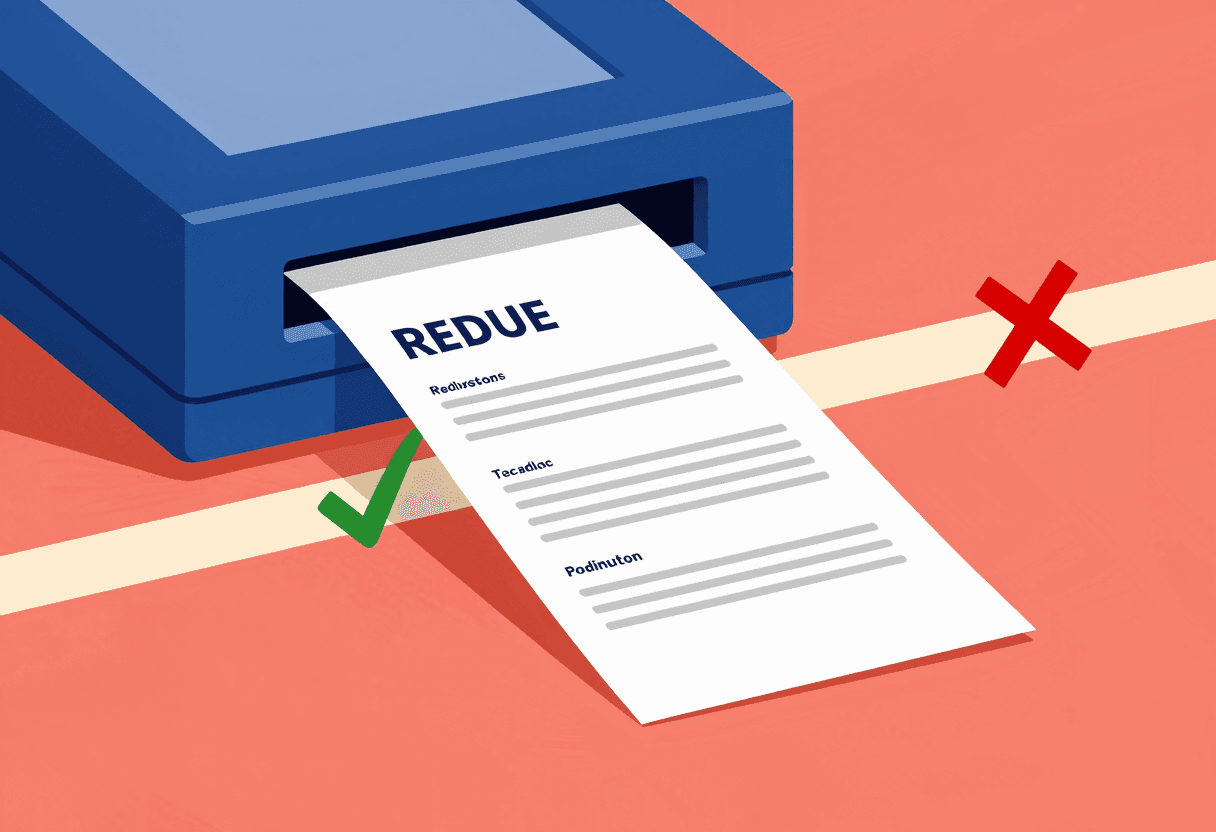
I'll never forget the day I discovered that 68% of the resumes I thought I'd rejected were actually rejected before I ever saw them.
I was three years into my recruiting career at a mid-sized tech company, and our IT team was troubleshooting our applicant tracking system. They pulled up the backend dashboard and showed me something that made my stomach drop: our ATS had automatically filtered out nearly 700 applications for a senior developer role before they reached my queue. When I manually reviewed a sample of those "rejected" resumes, at least half of the candidates were actually qualified. Some were perfect for the role.
Their resumes just weren't formatted correctly for the software to read them.
That moment changed how I coached every candidate who asked for my advice. The hard truth is this: your resume might be excellent, but if the ATS can't parse it, you're essentially invisible. According to [Jobscan's 2024 ATS research](https://www.jobscan.co/), 75% of resumes are rejected by applicant tracking systems before they reach human eyes. Not because the candidates aren't qualified — because the software can't properly read and categorize their information.
From the recruiter's side of the desk, I'm going to show you exactly what happens to your resume when you hit "submit," and more importantly, how to format it so the ATS actually delivers it to someone like me.
What Actually Happens When You Submit Your Resume
Here's what most job seekers don't understand: when you apply online, your beautifully designed PDF doesn't land in a recruiter's inbox. It goes into a database that attempts to parse (extract and categorize) every piece of information on your document.
The ATS is trying to answer specific questions:
- What is this person's name and contact information?
- What job titles have they held?
- Where did they work and for how long?
- What skills do they have?
- What's their education background?
When your resume uses formatting that confuses the parser — fancy fonts, text boxes, tables, headers and footers, or creative layouts — the system makes mistakes. It might think your phone number is your job title. It might skip entire sections. It might extract your skills as random character strings that don't match anything in the job description.
I once reviewed a resume in our ATS that showed the candidate's name as "Microsoft Word." Turns out, they'd used a text box for their header, and the parser grabbed the document metadata instead. That candidate never got a call, despite having the exact experience we needed.
The ATS doesn't care about your design skills. It cares about readable, structured data. And when it can't find that data, your application gets a low match score and gets buried under hundreds of other candidates.
The 8 ATS Formatting Rules That Actually Matter
After eight years of recruiting and personally testing hundreds of resume formats through various ATS platforms (we used Greenhouse, Workday, and Taleo at different companies), I can tell you exactly which formatting choices help you and which ones sink you.
1. Use Standard Section Headings
Your ATS is looking for specific section headers to categorize your information. When you get creative with these, you confuse the parser.
Use these standard headers:
- Work Experience (or Professional Experience, Employment History)
- Education
- Skills (or Technical Skills, Core Competencies)
- Certifications (if applicable)
Don't use:
- "My Professional Journey"
- "Where I've Made an Impact"
- "What I Bring to the Table"
- Combined headers like "Education & Certifications"
The parser has been trained on millions of resumes that use standard terminology. Stick with it.
2. Choose Simple, Standard Fonts
According to [TopResume's 2025 formatting study](https://www.topresume.com/career-advice/resume-fonts-that-stand-out), resumes using non-standard fonts had a 40% higher rejection rate in ATS testing.
Safe font choices:
- Arial
- Calibri
- Garamond
- Georgia
- Helvetica
- Times New Roman
- Trebuchet MS
Fonts that cause parsing errors:
- Decorative fonts (Papyrus, Comic Sans, Brush Script)
- Stylized fonts (Lobster, Pacifico, Great Vibes)
- Thin or condensed fonts (Helvetica Neue Ultra Light)
- Fonts with unusual character spacing
Keep your font size between 10-12 points for body text and 14-16 points for your name. Yes, it might look boring compared to that sleek template you found on Etsy. But boring gets through the ATS. Creative gets rejected.
3. Avoid Tables, Text Boxes, and Columns
This is where I see the most well-intentioned candidates shoot themselves in the foot. You think you're creating a clean, organized layout with a two-column design or a skills table. The ATS thinks you're trying to communicate in hieroglyphics.
Here's what happens: Most ATS parsers read left to right, top to bottom, like a book. When you use columns, the parser might read across both columns in a single line, creating nonsensical data strings. Text boxes often get skipped entirely. Tables can cause the system to misattribute information to the wrong fields.
I worked with a client — let's call him Marcus — who had a gorgeous two-column resume: contact info and skills on the left, experience on the right. He'd applied to 47 jobs over three months without a single interview. When I ran his resume through an ATS parser simulator, it showed his job titles and company names concatenated together as one long, meaningless string. The ATS thought he'd worked at one company called "Senior-Developer-Google-Product-Manager-Microsoft-Lead-Engineer-Amazon."*
We reformatted his resume to a simple, single-column layout. He got three interviews within two weeks of updating his applications.
"The most elegantly designed resume in the world is worthless if the ATS can't extract your experience accurately. Simplicity wins every time." — From my years of ATS testing
4. Save Your Resume in the Right Format
The safest format is .docx (Microsoft Word). Yes, even in 2025.
According to [Jobvite's 2024 Recruiter Nation Report](https://www.jobvite.com/recruiter-nation-report/), 63% of applicant tracking systems parse .docx files more accurately than PDFs. Some older ATS platforms can't read PDFs at all, or they convert them to images first (which destroys all text data).
Format compatibility breakdown:
| File Format | ATS Compatibility | Recommendation | |-------------|------------------|----------------| | .docx | 95%+ parse rate | Best choice | | .pdf | 75-85% parse rate | Use only if required | | .txt | 90% parse rate | Too plain; formatting lost | | .rtf | 80% parse rate | Outdated; avoid | | .pages | 30% parse rate | Never use | | .jpg/.png | 0% parse rate | Never use |
If the job application specifically asks for a PDF, provide one. Otherwise, stick with .docx. And whatever you do, don't use Apple Pages format — most ATS platforms can't read it at all.
5. Structure Your Work Experience Correctly
The ATS needs to identify your job title, company name, location, dates, and responsibilities as separate data points. The order and formatting of these elements matters.*
ATS-friendly format: Job Title Company Name, City, State Month Year – Month Year • Bullet point describing achievement • Bullet point describing achievement
What causes parsing errors:
- Combining job title and company on one line separated by a pipe: "Senior Developer | Google"
- Using abbreviations for months: "Jan 2023" instead of "January 2023"
- Using date ranges without a clear separator: "2023-2024" instead of "January 2023 – December 2024"
- Putting location in parentheses: "(Remote)" instead of "Remote" or "San Francisco, CA"
6. Use Standard Bullet Points
Stick with simple round bullets (•) or hyphens (-). Don't use:
- Checkmarks ✓
- Arrows →
- Stars ★
- Custom symbols ◆
- Emoji 🎯
These special characters can cause encoding errors in some ATS platforms. I've seen resumes where every bullet point was replaced with a question mark or a blank square. Your carefully crafted achievement bullets become unreadable gibberish.
7. Avoid Headers and Footers
Never put important information in the header or footer sections of your document. Most ATS platforms ignore these areas entirely or parse them incorrectly.
I once worked with a candidate — let's call her Sarah — who put her contact information in the header to save space. She applied to 30+ positions at my company over six months. When I finally found her resume in our system (manually searching because she'd emailed me directly), the ATS showed her name as "Unknown Applicant" with no phone number or email address. The system had completely skipped her header.
Put your name and contact information at the top of the main document body, not in a header section.
8. Include Keywords Naturally Throughout
According to [LinkedIn's 2025 Global Talent Trends report](https://www.linkedin.com/business/talent/blog), recruiters spend an average of 6-8 seconds on an initial resume review. But before we even see your resume, the ATS ranks it based on keyword matches to the job description.
Here's how to optimize for keywords without keyword stuffing:
- Mirror the exact job title from the posting (if accurate to your experience)
- Include both spelled-out terms and acronyms: "Search Engine Optimization (SEO)"
- Use industry-standard terminology, not company-specific jargon
- Incorporate skills from the job description in your bullet points naturally
- Don't create a hidden text layer with keywords (ATS platforms catch this and flag your resume)
The key word here is naturally. I've seen resumes where candidates listed every programming language they'd ever heard of, whether they knew it or not. When we brought them in for interviews, they couldn't answer basic questions about half the skills on their resume. That's not ATS optimization — that's lying, and it wastes everyone's time.
If you're struggling to incorporate the right keywords while maintaining authenticity, a [professional resume builder](/services/resume-builder) can help you identify which skills to emphasize based on your actual experience and your target roles.
Common ATS Myths (That Even Recruiters Believe)
Let me clear up some widespread misconceptions about how applicant tracking systems actually work:
Myth #1: "ATS systems automatically reject you if you don't have 100% of the qualifications."
False. The ATS assigns a match score, but humans make the rejection decision. I've interviewed plenty of candidates with 60-70% match scores because their experience was unique or particularly relevant. The ATS ranks candidates; it doesn't make hiring decisions.
Myth #2: "You need to use the exact same keywords as the job description, in the same order."
Partially false. Yes, keywords matter, but ATS platforms use semantic matching. If the job description says "customer relationship management" and your resume says "CRM software," most modern systems recognize these as equivalent. [SHRM's 2024 recruiting technology study](https://www.shrm.org/) found that 78% of ATS platforms now use AI-powered semantic search, not just exact keyword matching.
Myth #3: "White text on white background with keywords will trick the ATS."
This is terrible advice that's been circulating since 2010. Modern ATS platforms detect hidden text and flag it as potential fraud. I've seen candidates get blacklisted from company databases for trying this trick. Don't do it.
Myth #4: "ATS can't read PDFs at all."
Outdated. Most modern ATS platforms parse PDFs reasonably well, though .docx is still more reliable. The problem is you don't know which ATS the company uses. Some older systems (Taleo versions from before 2018, for example) really struggle with PDFs.
Myth #5: "The ATS automatically rejects resumes with employment gaps."
False. The ATS notes the gap in your employment history, but it doesn't automatically reject you. A recruiter reviews that information and makes a decision. I've hired plenty of people with gaps — career transitions, family leave, health issues, continuing education. What matters is how you explain it if asked, not whether the gap exists.
The Before and After: Real Resume Transformations
Let me show you what ATS-friendly formatting actually looks like in practice.
BEFORE (Poor ATS Formatting):
- Two-column layout with contact info in left sidebar
- Job titles in decorative script font
- Skills listed in a table with color-coded proficiency levels
- Custom bullet points using diamond symbols
- "Professional Journey" as the experience section header
- Dates formatted as "5/23 - 8/24"
- Education in the document footer
- Saved as a PDF with embedded images
ATS Parse Result: Name extracted incorrectly, contact information missing, only 3 of 7 skills recognized, work experience dates showed errors, education section not found. Match score: 31%*
AFTER (ATS-Optimized Formatting):
- Single-column layout
- All text in Calibri, 11pt
- Simple bullet points (•)
- Standard headers: "Work Experience," "Skills," "Education"
- Dates formatted as "May 2023 – August 2024"
- Contact information at top of main document body
- Keywords from job description incorporated naturally into bullet points
- Saved as .docx
ATS Parse Result: All information extracted accurately, all skills recognized and matched to job requirements, employment history complete and accurate. Match score: 87%*
Same person. Same qualifications. The only difference was formatting. The "before" version never made it to my review queue. The "after" version led to an interview.
How to Test Your Resume's ATS Compatibility
Don't just hope your resume works — test it before you apply to your dream job.
The Copy-Paste Test:
- Open your resume
- Select all text (Ctrl+A or Cmd+A)
- Copy it
- Paste it into a plain text editor (Notepad on Windows, TextEdit on Mac)
- Review the result
If the plain text version is a jumbled mess with information out of order, missing sections, or garbled characters, that's what the ATS sees. If it's readable and logically organized, you're in good shape.
Free ATS Scanning Tools: Several services offer free ATS resume scans (though paid versions provide more detailed feedback):
- Jobscan (offers free limited scans)
- Resume Worded (free ATS checker)
- TopResume's free review (includes basic ATS feedback)
These tools aren't perfect — they don't replicate every ATS platform exactly — but they'll catch major formatting issues.
If you want a comprehensive review from someone who's actually used these systems from the recruiter side, [professional resume optimization services](/services/resume-builder) can test your resume against multiple ATS platforms and provide specific fixes.
Industry-Specific ATS Considerations
Not all ATS platforms are created equal, and different industries tend to use different systems.
Tech Companies often use Greenhouse or Lever, which have relatively sophisticated parsers that handle PDFs well and use semantic matching. You have slightly more formatting flexibility here.
Large Corporations (Fortune 500s) typically use Workday or Oracle Taleo. These systems are more rigid and prefer .docx files with very standard formatting. Stick to the conservative approach.
Healthcare and Government often use older ATS versions or highly customized systems. According to [the Bureau of Labor Statistics 2024 employer survey](https://www.bls.gov/), 42% of government agencies still use ATS software from before 2020. Ultra-simple formatting is essential for these applications.
Startups and Small Businesses might use newer systems like Breezy HR or JazzHR, or they might not use an ATS at all. These companies often accept emailed resumes, giving you more creative freedom.
When possible, research which ATS a company uses (this information is sometimes in the application URL or mentioned in job seeker forums). Tailor your formatting accordingly.
Beyond Formatting: Making Your Resume ATS-Friendly in Content
ATS-friendly formatting is necessary but not sufficient. Your content needs to be optimized too.
Use Job-Specific Resumes: According to [CareerBuilder's 2024 candidate behavior survey](https://www.careerbuilder.com/), candidates who customize their resume for each application are 40% more likely to get an interview. This doesn't mean rewriting everything — it means adjusting your summary, emphasizing relevant skills, and incorporating keywords from the specific job description.
Quantify Your Achievements: ATS platforms increasingly use AI to identify high-performing candidates based on measurable results. Instead of "Managed social media accounts," write "Grew Instagram following by 156% (5.2K to 13.3K followers) in 8 months through targeted content strategy."
Include Relevant Certifications: List certifications with their full official names. "PMP" might not match if the job description says "Project Management Professional." Include both: "Project Management Professional (PMP)."
Match Your Job Titles When Accurate: If you were a "Customer Success Specialist" but the job posting is for a "Customer Success Manager" and your responsibilities align, it's acceptable to adjust your title. But don't inflate your level — if you were an analyst and the job is for a director, don't lie about your title.
If you're uncertain about how to structure your experience for ATS optimization while maintaining accuracy, [professional career coaching](/services/career-coaching) can help you position your background strategically.
What Happens After You Pass the ATS
Here's the reality: getting through the ATS is just the first gate. Once your resume reaches a human recruiter, it needs to be compelling enough to earn an interview.
From the recruiter's side of the desk, here's my review process:
- The 8-second scan: I'm looking at your most recent job title, company, and tenure. Do you have relevant experience? Have you job-hopped excessively?
- The 30-second deep dive: I'm reading your top 3-4 bullet points. Are your achievements specific and impressive? Do they align with what I need?
- The skills check: Do you have the must-have technical skills or certifications?
- The decision: Interview, reject, or "maybe" pile.
This means your resume needs to work on two levels: machine-readable for the ATS, and human-compelling for the recruiter.*
Your ATS-optimized resume shouldn't be a boring list of job duties. It should still showcase your unique value and achievements — just in a format that both software and humans can easily read.
I coached a software engineer — let's call him David — who'd optimized his resume so heavily for ATS that it read like a robot wrote it. Pure keyword lists, no personality, generic bullet points. He was getting past the ATS (his application showed up in my queue), but I wasn't calling him because his resume was completely forgettable.
We revised it to maintain the ATS-friendly formatting but added specific projects, measurable outcomes, and technologies he was passionate about. His next version passed the ATS and made me want to talk to him. He got the job.
The Future of ATS Technology
Here's where ATS systems are heading, based on my conversations with recruiting technology vendors and my own testing of new platforms:
AI-powered semantic matching is becoming standard. Modern ATS platforms understand that "led a team" and "managed direct reports" mean the same thing. This means you can focus less on exact keyword matching and more on clear, specific descriptions of your work.
Skills-based parsing is increasingly sophisticated. [LinkedIn's 2025 data](https://www.linkedin.com/business/talent/blog) shows that 73% of recruiters now prioritize skills over job titles when searching candidate databases. Make sure your skills section is comprehensive and uses industry-standard terminology.
Bias reduction algorithms are being implemented to depersonalize initial screenings. Some ATS platforms now hide names, graduation dates, and other potentially biasing information during the first review stage. This makes your experience and achievements even more critical.
Video and portfolio integration is expanding. More ATS platforms allow candidates to attach work samples, portfolio links, or video introductions. These don't replace your resume, but they supplement it. If the application system offers these options, use them — especially for creative or technical roles.
The bottom line: ATS technology is getting smarter, but the fundamentals of clear, structured, keyword-rich formatting remain essential.*
Your ATS-Friendly Resume Checklist
Before you submit your next application, run through this checklist:
- [ ] Resume saved as .docx (unless PDF specifically required)
- [ ] Simple, standard font (Arial, Calibri, or similar) in 10-12pt
- [ ] Single-column layout with no text boxes or tables
- [ ] Standard section headers (Work Experience, Education, Skills)
- [ ] Contact information in main document body, not header/footer
- [ ] Job titles, company names, and dates on separate lines
- [ ] Dates formatted as "Month Year – Month Year"
- [ ] Simple bullet points (• or -) only
- [ ] Keywords from job description incorporated naturally
- [ ] No graphics, images, or special characters
- [ ] Passed the copy-paste test (readable in plain text)
- [ ] Quantified achievements with specific numbers
- [ ] Spell check completed (ATS flags obvious typos)
If you're checking all these boxes and still not getting interviews, the issue might not be your formatting — it might be your positioning, keyword strategy, or how you're presenting your achievements. A [comprehensive resume review](/services/resume-builder) can identify exactly where you're losing recruiters' attention.
What About Cover Letters and LinkedIn Profiles?
Quick note: your cover letter and LinkedIn profile also interact with ATS platforms, though differently than your resume.
Many ATS systems parse cover letters for additional keywords and context. Use your cover letter to expand on achievements mentioned in your resume and to incorporate keywords that didn't fit naturally in your resume format. Need help crafting an ATS-friendly cover letter? [Professional cover letter writing services](/services/cover-letter-writer) can ensure your letter complements your resume optimization strategy.
Your LinkedIn profile is often pulled into ATS databases when recruiters search for candidates. Make sure your LinkedIn headline and experience section include the same keywords and job titles as your resume. According to [Jobvite's research](https://www.jobvite.com/), 87% of recruiters use LinkedIn to vet candidates, and many ATS platforms integrate directly with LinkedIn. If you need help aligning your LinkedIn profile with your resume, [LinkedIn profile optimization services](/services/linkedin-optimization) can ensure consistency across platforms.
The Bottom Line on ATS Resume Formatting
After reviewing more than 10,000 resumes and watching countless qualified candidates get filtered out by ATS platforms, here's what I want you to understand:
The ATS is not your enemy. It's a tool that helps recruiters manage high application volumes. When you format your resume correctly, the ATS becomes your ally — it delivers your qualifications directly to a human decision-maker.
Simple beats creative every time when it comes to ATS compatibility. Save the design skills for your portfolio. Your resume needs to be a clean, structured data document first, and an attractive visual piece second.
But don't optimize so much that you forget the human reader. Your resume still needs to tell a compelling story about your career and showcase your unique value. ATS optimization gets you through the door. Your achievements and how you present them get you the interview.
The job seekers who succeed in 2025 and beyond understand this balance. They create resumes that satisfy both the algorithm and the recruiter. They test their formatting, they customize for each application, and they focus on substance over style.
If you've been applying to jobs without success, start with your formatting. It might not be your experience that's the problem — it might be that your experience isn't making it through the ATS to be evaluated in the first place.
---
Ready to Beat the ATS?
If you want expert eyes on your resume to ensure it's both ATS-optimized and recruiter-ready, [our resume writing service](/services/resume-builder) combines ATS testing with insider knowledge of what actually impresses hiring managers. We've helped thousands of candidates transform their resumes from ATS black holes into interview generators.
Or if you're preparing for the interviews you'll land once your resume is ATS-optimized, [interview coaching](/services/interview-coaching) can help you convert those screening calls into job offers.
Frequently Asked Questions
What is ATS-friendly resume formatting?
ATS-friendly resume formatting means structuring your resume so applicant tracking systems can accurately parse (extract and categorize) your information. This includes using standard fonts, simple layouts without columns or tables, standard section headers, and .docx file format. The goal is to ensure the ATS correctly identifies your name, contact information, work history, skills, and education so your resume reaches human recruiters with a high match score.
How do I format my resume to pass ATS?
Format your resume to pass ATS by following these key rules: save as .docx, use a single-column layout, choose standard fonts like Calibri or Arial, avoid tables and text boxes, use standard section headers (Work Experience, Education, Skills), place contact information in the document body (not headers), use simple bullet points, and incorporate relevant keywords from the job description naturally throughout your experience bullets.
What resume format do applicant tracking systems prefer?
Applicant tracking systems prefer .docx (Microsoft Word) format with simple, single-column layouts. According to recruiting technology research, .docx files have a 95%+ parse accuracy rate compared to 75-85% for PDFs. ATS platforms also prefer standard fonts, clear section headers, and chronological formatting with job titles, company names, and dates on separate lines. Avoid creative formats with columns, graphics, or special characters.
Can ATS read PDF resumes?
Most modern ATS platforms can read PDF resumes, but with 10-20% lower accuracy than .docx files. Some older ATS versions (particularly Taleo systems from before 2018) struggle significantly with PDFs or convert them to images, which destroys all text data. Unless the job application specifically requires a PDF, submit your resume as .docx for maximum compatibility across all ATS platforms.
Do I need a different resume for every job application?
You don't need to completely rewrite your resume for every application, but you should customize key elements. Update your summary or objective to reflect the specific role, adjust which skills you emphasize, and incorporate relevant keywords from the job description into your bullet points. Research shows customized resumes are 40% more likely to get interviews because they score higher in ATS matching algorithms and resonate better with recruiters.
Should I include a skills section on my ATS-optimized resume?
Yes, absolutely include a skills section on your ATS-optimized resume. Modern ATS platforms specifically parse for skills sections and match them against job requirements. List 8-15 relevant skills using industry-standard terminology. Include both spelled-out terms and acronyms (e.g., "Search Engine Optimization (SEO)") and organize them by category if you have many skills. This section is critical for ATS matching algorithms and for recruiters who scan for must-have qualifications.
How many keywords should I include in my resume?
Focus on quality over quantity with keywords. Include 15-25 highly relevant keywords that genuinely reflect your experience and match the job description. These should appear naturally throughout your resume in context, not in a separate keyword list. Modern ATS platforms use semantic matching, so they recognize related terms and concepts. Keyword stuffing (listing skills you don't actually have) will pass the ATS but fail you in interviews when you can't demonstrate those abilities.
Want to see how your current resume scores against an ATS? Run it through our free analysis.
Learn moreWritten by
Jordan MitchellRecruiting Insider
Former corporate recruiter. 10,000+ resumes screened, 3,000+ interviews conducted.
Keep reading
How to Explain Employment Gaps on a Resume (Without Hurting Your Chances)
A complete, recruiter-tested playbook for addressing employment gaps on your resume — what to say, what to skip, and how to turn the gap into a strength.
Read article ResumeCareer Change Resume: How to Pivot Industries Without Starting Over
How to reposition your experience for a new industry: hybrid format, translation principles, transferable skills, and three worked examples.
Read article CareerThe Hidden Reasons You're Not Getting Interview Callbacks (According to Recruiters)
A recruiter's candid breakdown of the silent killers — generic resumes, unprofessional voicemails, LinkedIn mismatches, social red flags — that quietly take qualified candidates out of the running.
Read article